Overview
Mercury Network® includes a set of built‑in reports that help you track and review appraisal order activity. These reports allow you to view key data directly in the platform and provide options to print or export the information for offline use or further analysis. This article explains how to run, print, and export reports from Mercury Network®.
Mercury Network® provides a variety of printable reports you can use to track your appraisal orders. To run a Mercury Network® report...
Click Reports from the menus and select the report to run.
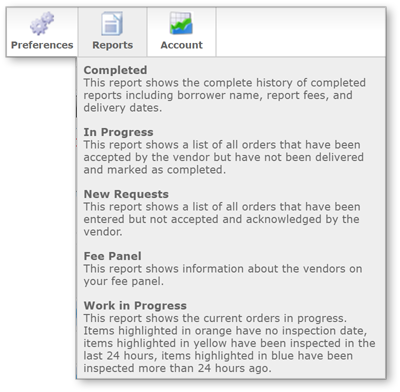
Mercury runs a report displaying the data you selected.
To print this report, click Print in the top toolbar and use your computer's standard print function to finish printing it.
To export this report, click Export in the top toolbar and select either the Excel 2007 Workbook, Excel XP & 2003 Workbook, or Comma Delimited format for your report to download an exported copy of it.
Outcome
After completing these steps, you will be able to run Mercury Network® reports, print them for recordkeeping, or export the data in Excel or CSV formats. This allows you to analyze appraisal activity, share information with others, and maintain organized reporting outside of the platform.