Overview
Alternative valuation products in Mercury Network provide flexible options for situations where a full appraisal is not required. These products, such as OptiVal AVM Cascade, OptiVal+, and the RealCondition Report, allow you to obtain property valuations more quickly while still maintaining consistency and control within your ordering workflow. This article explains the prerequisites and steps for creating a new alternative valuations order.
For valuations not requiring a full-blown appraisal, the alternative valuation solutions in Mercury Network provide some excellent options.
Currently, you can order 3 products here, with more coming soon:
Before you can place orders for an Optival AVM Cascade, OptiVal+, or RealCondition Report for the first time, there are a couple of things you'll need to do:
You'll need to enable the products in Product Requirements.
You'll also need to speak with your account manager to sign the contract. If you don't have an account manager, contact Client Relations at 1-800-900-4954.
To start a new alternative-valuations order in Mercury Network:
Click Orders in the menu at the top.

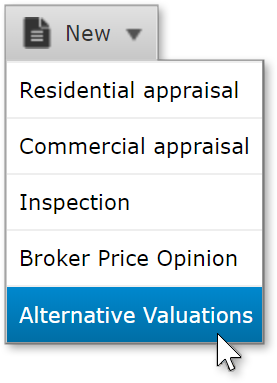
In the screen that appears, click New in the toolbar just below the main toolbar, and choose Alternative Valuations.
In the Product dropdown, choose the product you'd like to order.
Enter as many details as you can in the fields provided. Items with the red asterisk are required, but entering more information lowers your risk of delays.
If you chose to order Optival AVM Cascade, you'll see the Property Information and Additional information sections.
If you chose OptiVal+ or RealCondition Report, you'll see the addition of the Property access section and a Rush order checkbox.
Rush orders are due at 9AM on the 2nd business day, and an additional fee applies. Non-rush orders are due at 9AM on the 4th business day.
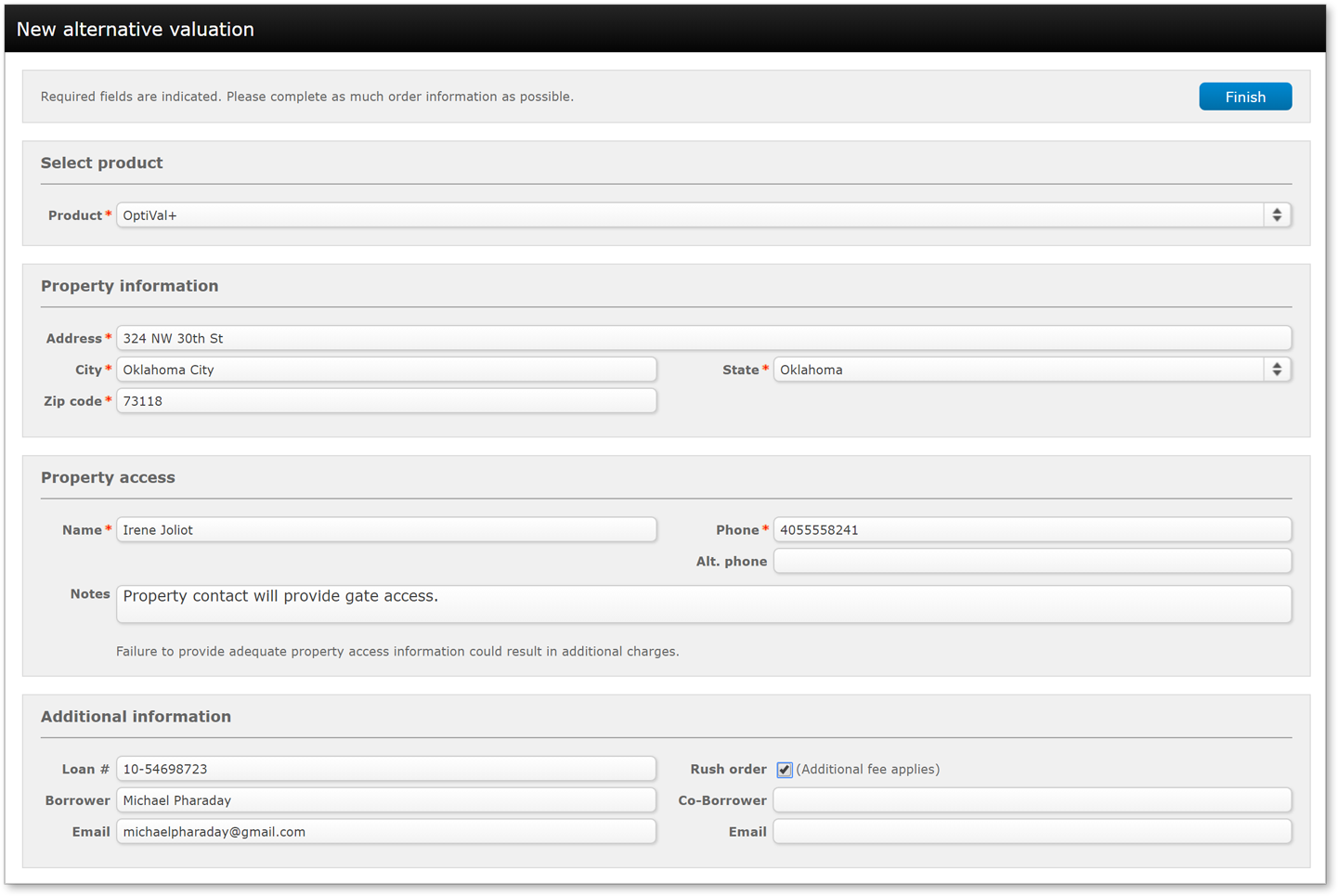
Click Finish so submit the order.
Outcome
After completing these steps, you will be able to create and submit alternative valuation orders in Mercury Network. You will understand how to select the appropriate product, enter required and optional details, and recognize differences such as rush order options and turnaround times. This allows you to use alternative valuations confidently and efficiently when a full appraisal is not needed.